MakeyDooey is a modular embedded hardware platform with a browser-based IDE. Share your project with us and we'll help you bring your ideas to life.
// share your project with us
// Project Submitted
// how it works
From idea to running hardware
MakeyDooey removes the friction between your idea and a working embedded system.
01 /
Describe your project
Tell the AI what you want to build. It knows our hardware's full capabilities and will recommend the exact boards you need.
02 /
Pre-order your totems
Order the recommended totem boards. Modular by design - start with one and expand your system as the project grows.
03 /
Open the IDE
Plug in your board and open the MakeyDooey PWA in Chrome. No installs, no drivers, no toolchain setup.
04 /
Flash, monitor, control
Write and flash firmware, monitor serial output, and control your hardware - all from one browser tab.
// pre-order now
MakeyDooey Hardware
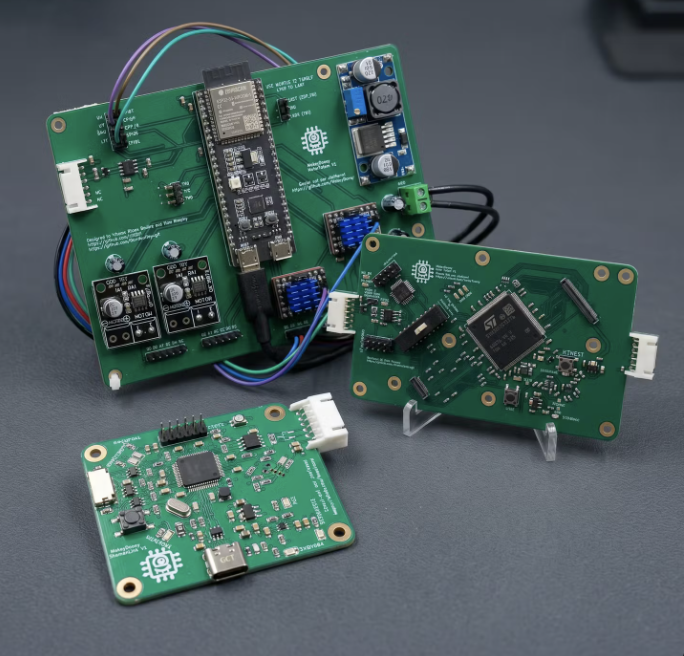
Modular totem boards designed for makers, robotics teams, and embedded engineers. All boards ship with full PWA IDE support.
STM32H755Pre-order
Main Totem
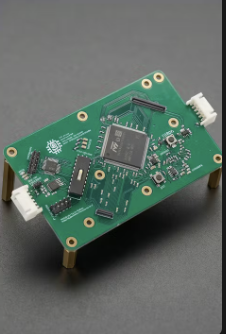
The brain of the MakeyDooey system. Dual-core STM32H755 running FreeRTOS, acting as the UART bus host and command router for the full totem stack.
STM32H755 NucleoFreeRTOSUART host480 MHz
>
ESP32-S3Pre-order
Motor Totem
Drive up to 5 NEMA17 stepper motors and DC motors simultaneously. TMC2209 drivers with stallguard sensorless homing. Controlled over UART from the Main Totem or directly via the PWA.
ESP32-S35× TMC2209DRV8871 DCStallguard
LPC55S69Pre-order
ShamanLink
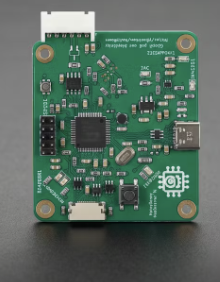
The custom USB bridge PCB. Converts USB-C to CMSIS-DAP for SWD programming and debugging, plus CAN bus routing between totems. The hardware backbone of the system.
LPC55S69CMSIS-DAPSWDCAN busUSB-C
Best Value
Starter Bundle
Everything you need to get started: Main Totem, Motor Totem, and ShamanLink. Pre-tested together and ready to drop into your project.
Main TotemMotor TotemShamanLinkUSB-C cable
// documentation & tools
Resources
Everything you need to start building with MakeyDooey - from the browser-based IDE to datasheets and source code.
>
MakeyDooey PWA IDE
Open the browser-based IDE. Flash firmware, monitor serial output, and control your hardware - no installation required. Chrome or Edge recommended.
Open IDE >
>
GitHub Repository
Browse the full source code for the PWA IDE, firmware examples, and hardware schematics. Issues and contributions welcome.
View on GitHub >
>
Hardware Datasheets
Technical specifications and pin diagrams for the Main Totem, Motor Totem, and ShamanLink PCB. Updated as hardware revisions ship.
Coming soon
>
User Manual
Step-by-step guide covering hardware setup, firmware flashing, serial monitoring, block sequencer, and Motor Totem control via BenjiPanel.
Coming soon
>
Bug Reports & Issues
Found something wrong? Open an issue on GitHub. Include your browser version, OS, and steps to reproduce.
Open an issue >
>
Get in Touch
Have a question that isn't covered here? Reach out directly to the team via email or through GitHub.
Contact us >
// get in touch
Contact
Questions about the hardware, the IDE, or a potential order? We'd love to hear from you.
>
General Inquiries
For questions about orders, hardware specs, or anything else - email us directly.